
FJD Landscape / NEWS & INSIGHTS
RM21P updates in FJD Landscaping 3.5.1
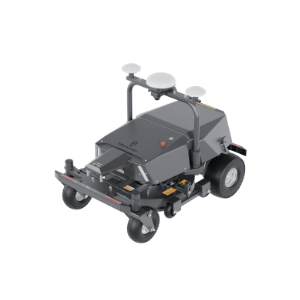
The iOS release adds multi-map management, non-mowing zones and multi-machine controls for RM21P, alongside routing and reliability improvements.
- Brand
- FJD Landscape
- Article type
- App update
- Source date
- 2026-11-02
What version 3.5.1 changes for RM21P
The iOS release notes dated November 2 list RM21P multi-machine controls, multi-map management, non-mowing zones, one-click no-go zones and NTRIP TCP/TLS support. They also describe improvements to routing, reachability checks and map synchronization, plus fixes affecting docking, obstacle avoidance, blade and radar behavior.
Keep the release tied to the right machine
The same app serves several equipment families. Features listed for another model should not be assumed to apply to RM21P. The release note is the reference for the iOS app; the machine configuration and firmware still need to be matched to the intended workflow.
Turn an update into an organized operating routine
DRT recommends making a short site record before changing the workflow: which machine serves each area, which map is active, and who owns the schedule. Use clear area names that a second operator can recognize. A map called North Practice Field is more useful than a number that only its creator remembers. Keep a record of the existing task settings so a changed result can be traced.
Review one representative task first
After following the manufacturer’s update instructions, review the machine, selected map and task settings together. Start with a representative supervised job and check the resulting work record before expanding to the rest of the grounds. Record any alerts and the app and firmware versions when requesting support. The goal is a controlled transition to the revised workflow, with a clear account of what changed.