
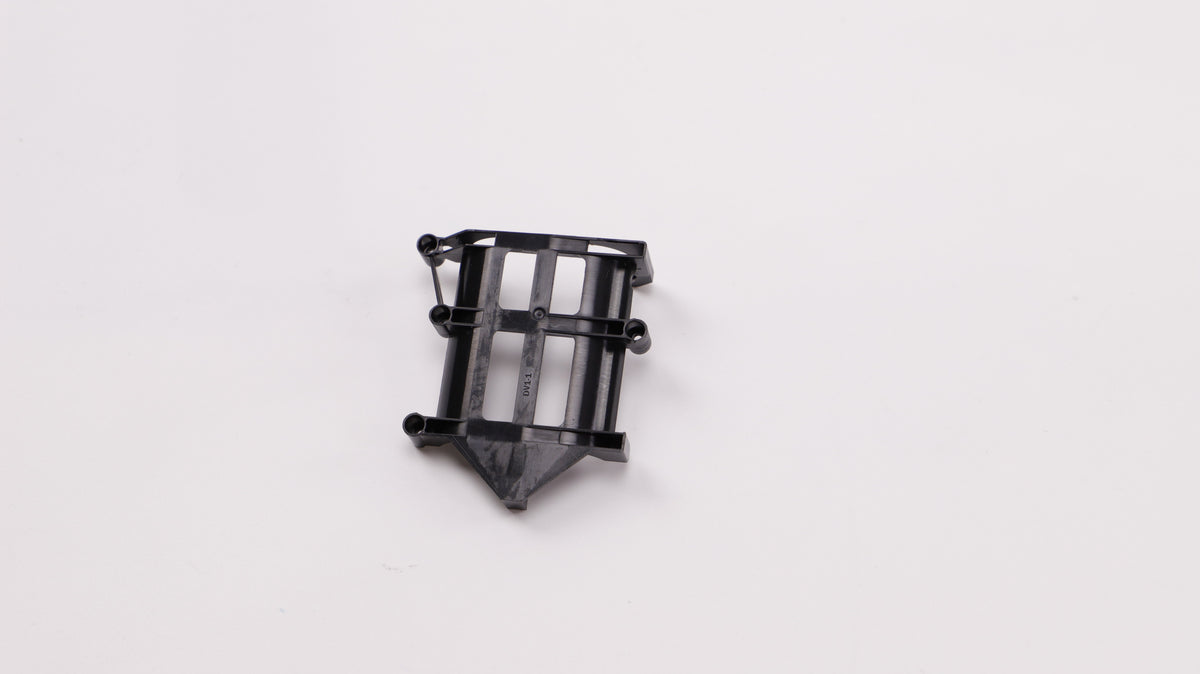
Product images may show optional equipment. Refer to the selected package description for included items.
DJI Agras Parts
DJI RC Plus 2 (Agras) Battery Fixing Bracket (Left) - Genuine DJI Part
$3.50 USD
SKU: YC.JG.ZS001798.04
Available to order
Select your package
Package contents vary by configuration. Review the details for the selected package.
 DJI RC Plus 2 (Agras) Battery Fixing Bracket (Left) - Genuine DJI PartDJI RC Plus 2 (Agras) Battery Fixing Bracket (Left) - Genuine DJI Part$3.50 USD
Selected package
DJI RC Plus 2 (Agras) Battery Fixing Bracket (Left) - Genuine DJI Part
Genuine DJI Battery Fixing Bracket (Left) replacement part.
This original DJI component is intended for repair, maintenance, or replacement use on compatible DJI Agras remote controllers.
Compatibility
- DJI FlyCart 30
- DJI FlyCart 100
- DJI Agras T100S
- DJI Agras T70S
- DJI Agras T55
- DJI Agras T40
- DJI Agras T20P
- DJI Agras T50
- DJI Agras T25
- DJI Agras T60
- DJI Agras T25P
- DJI Agras T70
- DJI Agras T70P
- DJI Agras T100
Part Details
- Product Line: DJI Agras
- System: Remote Controller
- Assembly: RC Plus Agras Rear Shell
- Part Type: Battery Component
- Size / Shipping Class: Not Oversize
Diagram Reference
- DJI Agras RC Plus Rear Shell Parts Diagram — Diagram No. 36
Package Includes
- 1 × Battery Fixing Bracket (Left)
Product Information
- Manufacturer: DJI
- Condition: New
- Diagram Material Number: YC.JG.ZS001798.04
- Order SKU: YC.JG.ZS001798.04
- Simplified Part Number: YC.JG.ZS001798
- Original Diagram Reference Material: YC.JG.ZS001798
Shipping Note: This item is not classified as oversize and normally ships using standard parcel service.
Note: Please confirm the diagram number and material number before ordering. This listing includes the product listed above only.
Support & resources
Build a setup that fits.
Tell us what you want to capture, inspect or accomplish. DRT can help you choose the platform and accessories for the job.
Talk to DRT
Get help choosing a package, checking compatibility or planning a field-ready setup.
Manuals & downloads
Find official user manuals, firmware and software for your model.
YOUR CONFIGURATION, EXPLAINED
Know exactly what you are choosing.
INCLUDED EQUIPMENT
In the Box
The list applies to the product configuration identified above. Optional add-ons are separate items. Product photos can show equipment that is not included.
BEFORE YOU ORDER
A few things worth knowing.
Make sure it is the right fit.
Send us your model, selected configuration and the task you need it for. For a repair part, include the part number or a clear photo of its label.