
Field coordination
Give incident teams a shared visual reference during public-safety and search operations.
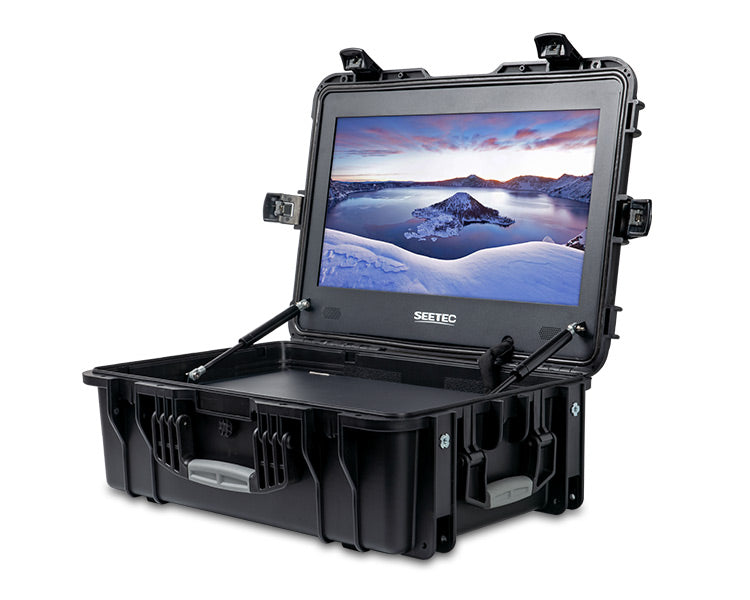
SEETEC / Field monitoring
See the mission. Share the view.
Give your team a larger view of the live camera feed through a compatible DJI Enterprise controller's HDMI output.
Monitor only. Drone, controller, full-size HDMI cable and optional batteries are separate.
See the DJI connection ↓A shared view of the mission
Connect the WPC215 to a compatible DJI Enterprise controller for a larger view of the camera feed. Keep the pilot on the controller while colleagues review the scene on a 21.5-inch display.
Give incident teams a shared visual reference during public-safety and search operations.
Discuss the live camera view with engineers and clients at the worksite.
Let observers follow the pilot's screen without gathering around the controller.
DJI Enterprise pairing
Recommended pairings: Matrice 4E or 4T with DJI RC Plus 2 Enterprise; Matrice 400 with DJI RC Plus 2 Enterprise Enhanced. Set a supported HDMI output format such as 1080p and check the live view before deployment.
Compatibility is based on the published HDMI interfaces. This is a wired display connection, not a direct wireless link to the aircraft. The monitor does not control the drone or add thermal measurement functions.
SDI provision varies by configuration in the manufacturer's documentation; confirm the supplied version if your workflow requires SDI. USB is for firmware and LUT import, not video input.
The manufacturer's standard package lists the WPC215 monitor with protective case, power adapter, SDI cable, mini-HDMI cable, two fitted V-mount battery plates and user manual. Contact DRT if you need a specific port or power configuration.
For the DJI connection: add a full-size HDMI-A to HDMI-A cable. The listed mini-HDMI cable is not the matching cable for RC Plus 2's full-size HDMI port. V-mount batteries, charger, stand, drone and controller are separate unless explicitly included in your quote.
Use the matching manufacturer power adapter or compatible V-mount batteries. The monitor does not charge attached batteries. For a portable power station, use its compatible AC outlet with the monitor's own adapter.
The protective transport case does not establish an IP rating for the open monitor. Keep the screen and exposed connections dry during use. Check airline baggage limits before travel.
Build your field setup
Choose a platform around the job. Each connection requires the matching HDMI-equipped controller.
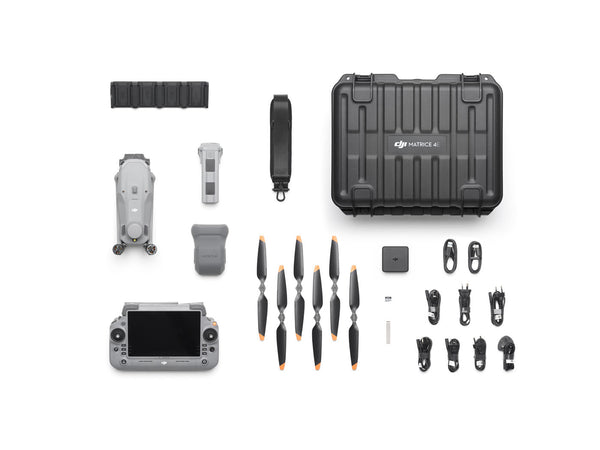
On-site visual reviews for mapping and inspection teams.
Explore drone →Request this setup →
Shared visual and thermal-camera views for response teams.
Explore drone →Request this setup →
A larger team display for payload-based inspection missions.
Explore drone →Request this setup →YOUR CONFIGURATION, EXPLAINED
INCLUDED EQUIPMENT
The list applies to the product configuration identified above. Optional add-ons are separate items. Product photos can show equipment that is not included.
BEFORE YOU ORDER
Send us your model, selected configuration and the task you need it for. For a repair part, include the part number or a clear photo of its label.