
01
DJI
Find and document the area of interest
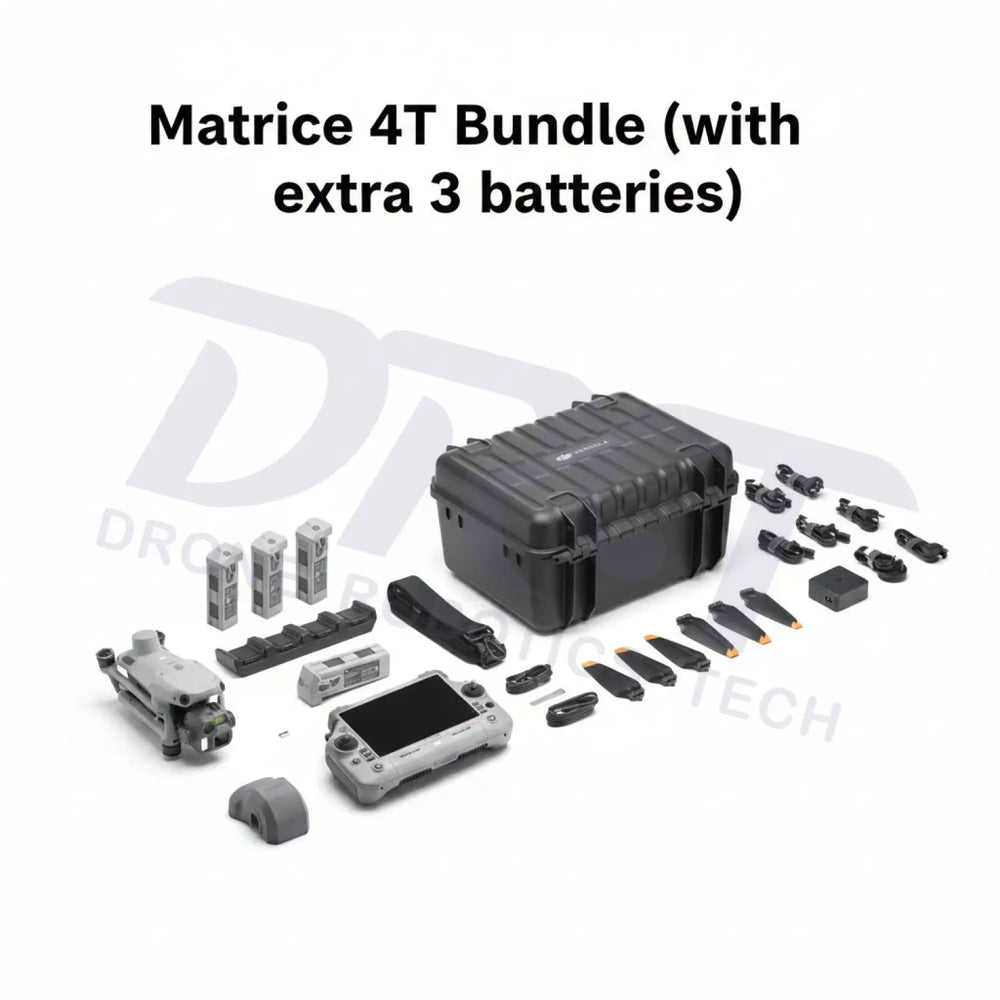
Matrice 4T captures thermal and visible views. Extra flight batteries provide options for a follow-up angle or another pass.
DJI × ANKER SOLIX
Pair Matrice 4T thermal and visual capture with four flight batteries and S2000 power for the equipment your ground team depends on.
Existing DRT package DJI Matrice 4TThermal & visual inspection
 Anker SOLIX S2000Power the ground equipment
Why these products together
DJI
Matrice 4T captures thermal and visible views. Extra flight batteries provide options for a follow-up angle or another pass.
Anker SOLIX

S2000 supplies matching chargers and compatible review equipment, giving the ground team a power source close to the work.
What the combination gives you
Ground power supports the working process. Thermal interpretation still depends on the target, conditions and trained operator.
How the benefit is achieved
Matrice 4T records thermal and visual information, helping a trained operator compare an area of interest with its visible surroundings.
How the benefit is achieved
Four total packs provide rotation options for another angle or follow-up pass, subject to battery temperature and charging time.
How the benefit is achieved
S2000 can power compatible charging and computing devices within its load limits, supporting a practical inspection base.
The combination, explained
Illustrative workflow
Capture thermal and visible views of the target, review the area of interest with the team, then plan a follow-up pass if needed. Keep used packs on a suitable cooling and charging rotation at the field base.
Infrastructure and equipment inspection teams that need thermal capture and a powered staging area.
Already own Matrice 4T? Start with the battery rotation and ground loads you need. DRT can review an add-on power setup around your current equipment.
Workflow illustration
Identify inspection targets and the data the team needs.
Capture thermal and visual views under suitable conditions.
Use available flight batteries while used packs cool as required.
Supply the original compatible charger from the power station and review collected data.
Existing DRT package
This links to the existing Matrice 4T + S2000 DRT package. Optional crew equipment and services are purchased separately.
Review setup and compatibility
No. It supports charging and field electronics. Accuracy and interpretation depend on the sensor, target, conditions and operating method.
No. Flights still require battery changes, temperature checks and charging time. Plan the rotation around the actual mission.
The bundle page lists the exact contents. Laptops, communications equipment, analysis software and optional aircraft accessories are additional unless listed.
DRT SOLUTION PLANNING
Share your current equipment and the problem you want to solve. We will review the missing pieces and the configuration for your work.
888-356-6818