
01
DJI
Evaluate dock-based operations
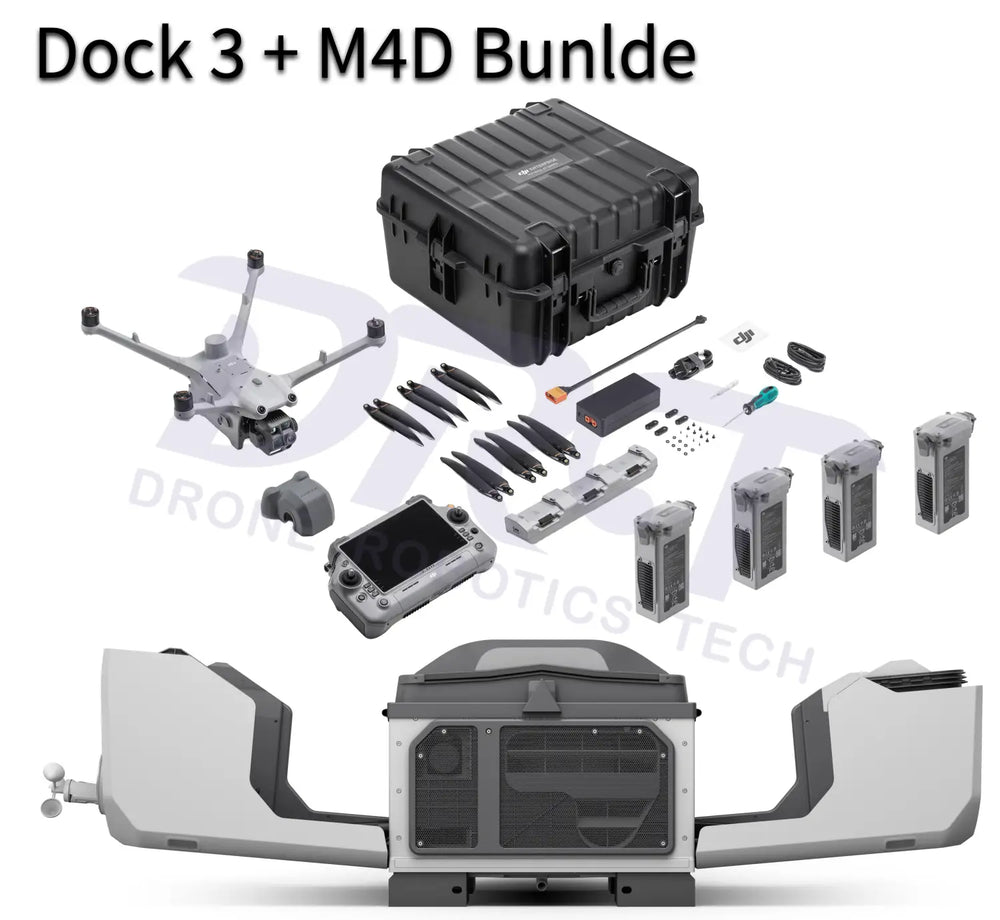
Dock 3 with Matrice 4D or 4TD provides the aircraft workflow to assess against the mission and operating schedule.
DJI DOCK 3 × ANKER SOLIX
Evaluate DJI Dock 3 with a reviewed S5000 temporary power setup for a supervised pilot, alongside connectivity and site preparation.
Site assessment required DJI Dock 3 + Matrice 4DDock-based flight workflow
 Anker SOLIX S5000Temporary power candidate
Why these products together
DJI
Dock 3 with Matrice 4D or 4TD provides the aircraft workflow to assess against the mission and operating schedule.
Anker SOLIX

S5000 is a candidate AC source for a supervised pilot, subject to electrical compatibility and complete-site commissioning.
What the combination gives you
A site assessment is required. This is not a certified plug-and-play off-grid kit; permanent operation needs an engineered plan.
How the benefit is achieved
Review S5000 as a candidate AC source for a supervised demonstration with the correct connection and protections.
How the benefit is achieved
Assess the network, software, mission requirements and site access alongside the equipment.
How the benefit is achieved
Check startup, aircraft charging, energy use and communications during commissioning before agreeing the deployment scope.
The combination, explained
Illustrative workflow
Agree a limited demonstration schedule, evaluate the proposed power connection and network, then test startup and aircraft charging with the full setup. Use the findings to scope permanent infrastructure.
Organizations assessing a supervised Dock 3 pilot or a site-specific temporary power requirement.
Begin with a site assessment. A suitable grid supply may remove the need for portable power; continuous remote operation requires its own engineering plan.
Workflow illustration
Share location, mission frequency, operating hours and grid/network availability.
Review Dock input, station outlet ratings and recharge behavior with DRT.
Agree grounding, protection, weather exposure, mounting and network access.
Validate startup, charging, energy use and the agreed operating mode before deployment.
Site assessment required
Equipment, operations software, power, network and installation are scoped separately. The products below are candidates for review, not a certified cross-brand deployment kit.
Review setup and compatibility
No. S5000 is a candidate for site review, not a certified cross-brand installation. Connections, protection, energy and operating behavior must be assessed.
Dock 3 uses the Matrice 4D series: 4D or 4TD. Field-operated Matrice 4E and 4T are different aircraft.
No. The dock internal backup battery does not support aircraft charging during a power outage. Include this behavior in the site power plan.
DRT SOLUTION PLANNING
Share your current equipment and the problem you want to solve. We will review the missing pieces and the configuration for your work.
888-356-6818
